

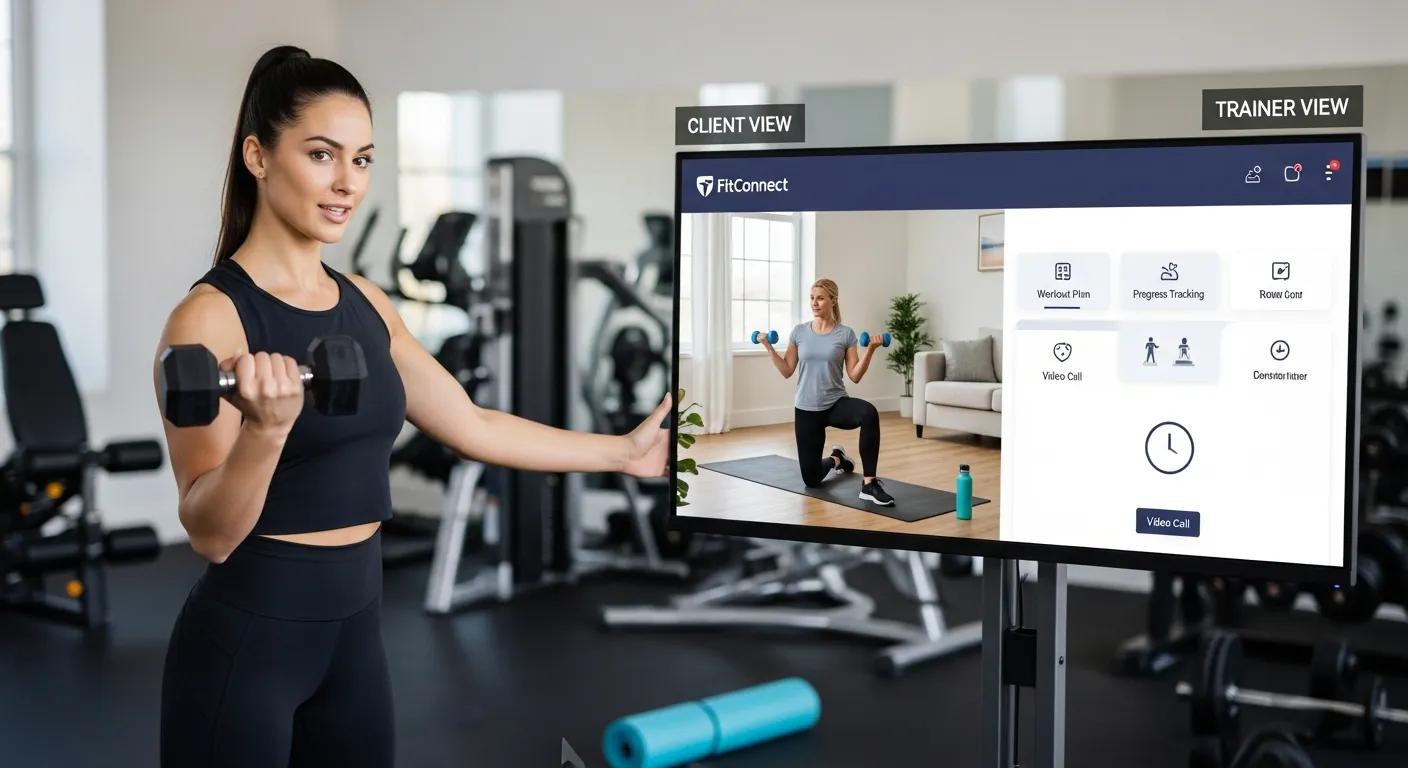
Online personal training software is now a core tool for coaches and clients. It combines features—most notably video coaching—to improve training delivery. Technology enables fitness professionals to provide personalised instruction and ongoing support, increasing workout effectiveness and engagement. This article explains how video coaching transforms remote sessions, boosts client engagement, and simplifies communication. It also examines the features of Coach Catalyst , which help coaches deliver high-quality remote coaching.
Video coaching addresses common remote training challenges such as low motivation and weak accountability. Real-time interaction allows trainers to give immediate feedback and encouragement. This article outlines the core features of video training software, the benefits of video integration, and the ways Coach Catalyst supports these workflows.
Research highlights the essential role of human trainers in driving engagement and motivation within remote coaching environments.
E-Coaching & Remote Supervision for Athlete Engagement
The study finds that platforms enabling interaction between users and qualified human trainers increase motivation and support an active lifestyle. Results indicate that training programmes developed and remotely supervised by human coaches produce higher user engagement. An e-coaching ecosystem: design and effectiveness analysis of the engagement of remote coaching on athletes, L Boratto, 2017
What Are the Key Features of Video Personal Training Software?
Video personal training software includes capabilities designed to improve coaching efficiency and client outcomes. Key features include:
- Customizable Workout Plans : Coaches can create tailored workout plans that meet individual client needs, ensuring a personalized approach to fitness.
- Automated Progress Tracking : This feature allows both coaches and clients to monitor progress over time, making it easier to adjust training plans as needed.
- Nutrition Tracking : Many platforms include tools for tracking dietary habits, which is essential for holistic health and fitness.
Coach Catalyst demonstrates these capabilities by embedding video coaching into the coaching workflow, enabling seamless communication and stronger client engagement.
Beyond standard video coaching, emerging technologies are enabling more advanced forms of real-time feedback.
Mobile ExerciseCoaching vs. Video Streaming Feedback
This study evaluated whether a machine-learning motion-detecting mobile coaching application (MDMECA) provides superior outcomes compared with video-streaming exercise for improving quality of life and reducing lower back pain. Real-time exercise feedback through a convolutional neural network: a machine learning-based motion-detecting mobile exercise coaching application, J Park, 2022
How Do Video Coaching Tools Enhance Remote Workout Sessions?

Video coaching tools make remote sessions more interactive and effective. They provide:
- Real-time Visual Communication : Coaches can demonstrate exercises and correct form in real-time, which is crucial for client safety and effectiveness.
- Personalized Feedback : Immediate feedback helps clients adjust their techniques and improve performance, leading to better results.
- Enhanced Engagement : The interactive nature of video sessions keeps clients motivated and accountable, reducing dropout rates.
Using these tools, coaches create a dynamic training environment that supports better client outcomes.
This matches trends in sports coaching where video analysis is used to refine technique and optimise performance.
TechnologyIntegration & Video Analysis in Sports Coaching
Technology has transformed athlete development and performance optimization. Tools such as GPS trackers and heart rate monitors deliver new insights; video analysis enables precise technique review. Technology also facilitates global knowledge sharing and helps coaches improve precision, efficiency, and efficacy. Technology integration in sports coaching: Innovations and challenges, 2024
How Does Coach Catalyst Facilitate Live and Recorded Video Coaching?
Coach Catalyst provides features for both live and recorded video coaching, making it suitable for professional use. Core features include:
- Audio/Video Messaging : Coaches can send personalized messages to clients, enhancing communication and support.
- Real-time Messaging : This feature allows for instant communication, enabling coaches to address client questions or concerns promptly.
- Communities Feature : Coaches can create community spaces for clients to interact, share experiences, and support each other, fostering a sense of belonging.
Together, these features simplify client communication and support continuous coaching.
What Are the Steps to Schedule and Conduct Video Sessions Using Coach Catalyst?
Scheduling and running video sessions in Coach Catalyst follows a simple process. Essential steps include:
- Using the Calendar Interface : Coaches can easily schedule sessions through the integrated calendar, allowing clients to see available times.
- Sending Messages for Feedback : After sessions, coaches can send follow-up messages to gather feedback and adjust future sessions accordingly.
This workflow reduces administrative overhead so coaches and clients can concentrate on training.
How Does Coach Catalyst Integrate Client Communication and Workout Programming?
Coach Catalyst integrates client communication and workout programming. Key elements include:
- Centralized Communication : All client interactions are stored in one place, making it easy for coaches to track conversations and progress.
- Automated Notifications : Clients receive reminders for workouts and sessions, helping them stay on track.
- Progress Tracking : Coaches can monitor client progress through integrated tools, allowing for timely adjustments to training plans.
This integration improves service consistency and client support.
What Are the Benefits of Integrating Video Coaching in Online Personal Training?
Video coaching provides several direct benefits:
- Real-time Feedback : Clients receive immediate corrections and guidance, which enhances their learning experience.
- Enhanced Accountability : Regular video sessions keep clients accountable to their fitness goals, reducing the likelihood of missed workouts.
- Stronger Relationships : The personal connection fostered through video interactions helps build trust and rapport between coaches and clients.
Collectively, these benefits drive better client outcomes and higher satisfaction.
How Does Video Coaching Improve Client Engagement and Results?
Video coaching increases engagement and improves results by creating an interactive training environment. Key impacts include:
- Motivation Boost : The presence of a coach during workouts encourages clients to push themselves harder than they might on their own.
- Improved Communication : Video sessions facilitate clearer communication, allowing clients to express concerns and receive guidance effectively.
Consequently, clients tend to remain committed, yielding stronger results over time.
What Role Does Nutrition Coaching Play in Video-Based Training?

Nutrition coaching complements video training by delivering tailored dietary guidance. This includes:
- Personalized Nutrition Guidance : Coaches can offer tailored nutrition plans that complement workout routines, enhancing overall health and performance.
- Accountability Through Tracking : Clients can track their food intake, which helps them stay accountable to their nutrition goals.
Combined nutrition and video coaching supports a holistic approach to client health and performance.
How Can Coaches Automate Virtual Training Programs with Video Tools?
Coaches can automate aspects of virtual programmes with video tools to streamline workflows. Key automation strategies include:
- Streamlining Administrative Tasks : Automation reduces the time spent on scheduling and reminders, allowing coaches to focus on client interactions.
- Enhancing Client Experiences : Automated check-ins and progress updates keep clients engaged and informed about their training.
Automation enables coaches to scale client rosters without reducing service quality.
Which Features Support Workflow Automation in Video Coaching Software?
Workflow automation is supported by features such as:
- Automated Client Check-ins : Regular check-ins can be scheduled automatically, ensuring clients receive consistent support.
- Scheduled Reminders : Clients receive reminders for upcoming sessions and tasks, helping them stay on track.
These features increase operational efficiency and let trainers focus on coaching quality.
How Does Automation Enhance Scalability for Fitness Professionals?
Automation improves scalability by allowing professionals to manage more clients without increasing workload. Key benefits include:
- Reducing Administrative Workload : Automation minimizes the time spent on scheduling and communication, freeing up time for coaching.
- Maintaining Consistent Communication : Automated messages ensure that clients receive timely updates and support, regardless of the coach’s availability.
Scalability is critical for professionals who aim to grow while maintaining service standards.
What Are the Subscription Plans and Pricing Options for Video Coaching Software?
Video coaching platforms typically provide tiered subscription plans to suit different business needs. For instance, Coach Catalyst provider:
- Basic Plan – $49/month : Ideal for individual coaches starting out.
- Plus Plan – $99/month : Suitable for coaches with a growing client base.
- Organization Plan – $139/month : Designed for larger teams or organizations needing comprehensive features.
These tiers let coaches select the service level that aligns with their business model.
How Do Different Plans Support Various Coaching Needs?
Subscription tiers support different coaching models by including tailored features. For example:
- Coach Plan for Individual Coaches : This plan provides essential tools for solo trainers to manage their clients effectively.
- Coach Pro Plan for Larger Client Bases : This plan includes advanced features that support coaches with more extensive client lists, ensuring they can deliver personalized service.
Choosing the right plan helps coaches optimize operations and improve client satisfaction.
What Are the Steps to Start a Free Trial or Schedule a Demo?
Beginning a trial or scheduling a demo with Coach Catalyst is straightforward. Steps:
- Sign up for a 30-day trial for $1 : This allows potential users to explore the platform’s features without a significant commitment.
- Schedule a personalized demo : Interested users can arrange a demo to see the software in action and ask questions.
These options let coaches evaluate the platform and assess fit for their practice.
To explore the platform further, you can schedule a demo and see how it can support your training approach.
If you are ready to get started, you can sign up and begin exploring the features firsthand.
Frequently Asked Questions
What types of clients benefit most from video coaching?
Video coaching benefits clients who require personalised attention and immediate feedback: beginners who need form correction, people with specific performance goals, and clients who respond well to accountability. It also supports those training at home by creating interaction and a sense of community.
How can coaches ensure client engagement during video sessions?
Maintain engagement by designing interactive sessions that invite questions, using progress-based challenges or gamification, and tailoring workouts to client goals and preferences. Personalisation and clear communication increase client investment.
What technology is required for effective video coaching?
Effective video coaching requires a stable internet connection, a device with a camera and microphone, and a video platform that supports real-time interaction. Integration with fitness tracking apps can enhance the experience. Ensure both coach and client are familiar with the tools used.
Can video coaching be effective for group training sessions?
Yes. Platforms that support multiple participants enable group classes while allowing coaches to provide individual feedback. Group sessions build community, encourage peer motivation, and create a dynamic training environment.
How do coaches handle technical issues during video sessions?
Prepare a backup communication method, such as phone or messaging, in case the video platform fails. Familiarise yourself with common troubleshooting steps and inform clients promptly about any delays or adjustments.
What are the privacy considerations for clients using video coaching?
Ensure the chosen video platform complies with data protection standards and offers secure connections. Inform clients how their data is stored and used, encourage private session spaces, and set clear boundaries about what is shared during sessions to maintain trust.
How can coaches measure the effectiveness of video coaching?
Measure effectiveness with client feedback, progress tracking, and performance metrics. Regular surveys and check-ins, combined with objective measures such as weight or strength improvements, provide evidence to refine coaching approaches.
Conclusion
Integrating video coaching into online personal training software improves engagement and accountability, supporting better fitness outcomes. Real-time feedback and personalised support strengthen coach-client relationships and create an interactive environment that motivates adherence. To discover how these features can elevate your coaching practice, explore our offerings today.

