

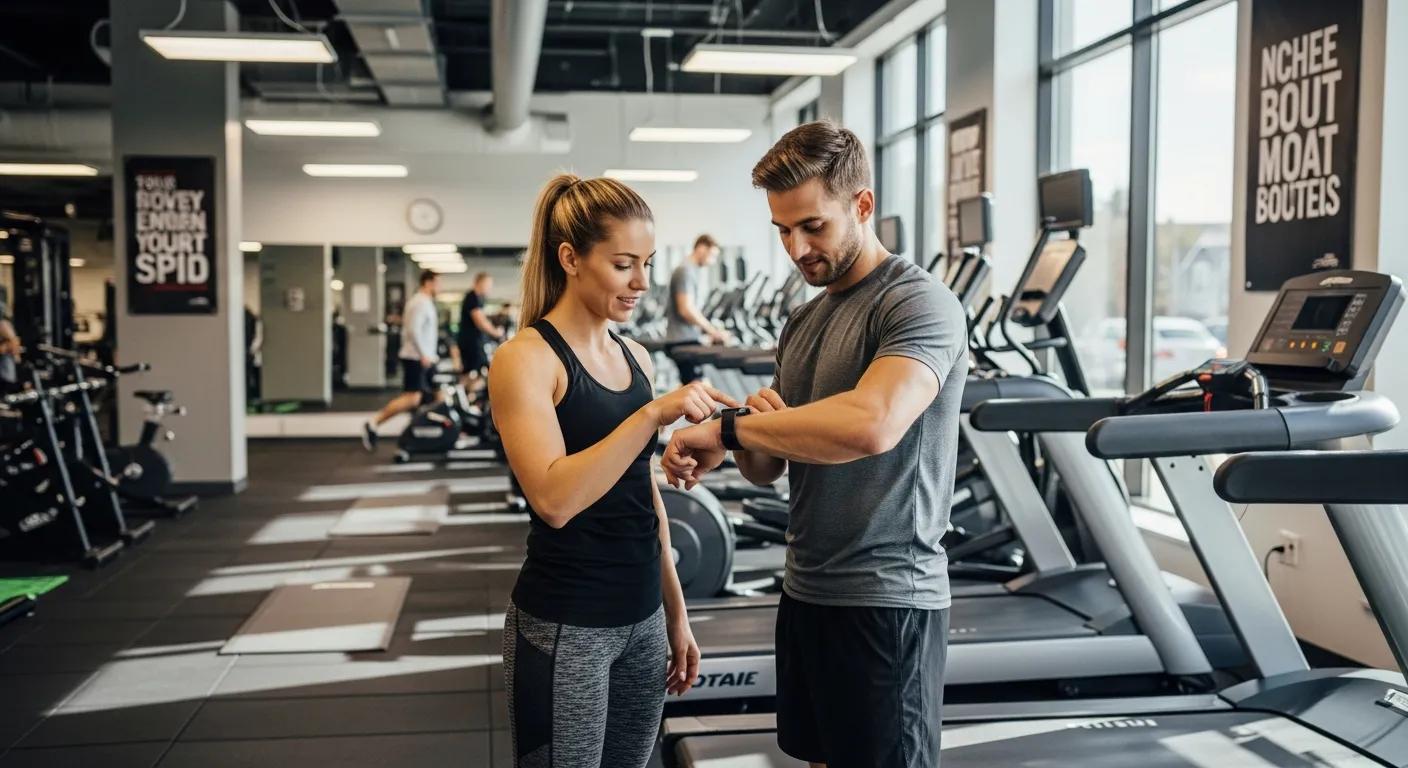
Wearables and fitness trackers are changing how trainers track progress and coach clients. This guide shows how connecting those devices to online personal training software brings clearer insights, better personalization, and faster adjustments to programs. You’ll get practical info on device compatibility, setup, the kinds of data you can use, and smart ways to keep clients engaged. When trainers have reliable, real-time metrics, they can make decisions that improve outcomes and client satisfaction. Below we cover device compatibility, setup steps, data types, the benefits of wearable data, and best practices for client engagement.
Recent research highlights how wearable and digital tools can strengthen the trainer–client relationship through continuous monitoring and improved engagement methods.
Wearables & DigitalTech for FitnessProfessionals & Client Monitoring
This paper examines how wearable and digital technologies can support the work of health and fitness professionals. It walks through current applications of wearables and digital tools in daily practice, explains their potential for comprehensive client monitoring regardless of age or tech skill, and offers ideas for getting the most value from these resources to boost client engagement. The review spans wearable devices, fitness apps, and data-focused tools. Can Wearable and Digital Technologies Augment Business-to-Consumer Data Driven Outcomes in Health and Fitness Industry?, S Addolorato, 2025
Which Wearable Devices Work with Personal Training Software?
To link a wearable with a coaching platform, the device and platform must support data sharing. Many mainstream trackers and smartwatches sync smoothly with online coaching tools, giving trainers access to the metrics they need to tailor programs and track progress.
Popular Brands & Models: Fitbit, Garmin, Apple Watch and more
Brands such as Fitbit, Garmin, and Apple lead the market with devices built for fitness tracking. Fitbit is valued for its ease of use and broad health metrics; Garmin shines with GPS and outdoor activity features; Apple Watch integrates tightly with iOS and a wide app ecosystem. These devices capture steps, heart rate, sleep, and other signals that help trainers understand client behavior and recovery—making them practical tools for coaching.
How do you set up and sync trackers with online coaching platforms?

Connecting trackers to your coaching platform is straightforward and well worth the effort. Once synced, trainers can see up-to-date metrics and use them to refine workouts and recovery plans.
Step-by-step: Pairing devices and integrating data
Follow these steps to sync a fitness tracker with an online coaching app:
- Install the App: Download the coaching platform’s mobile app on the client’s phone.
- Create an Account: Sign up or sign into the platform with the client’s account.
- Add the Device: Open settings, choose to add a new device, and follow the pairing prompts.
- Allow Data Sharing: Grant the app permission to read data from the wearable.
- Sync Now: Trigger an initial sync so data transfers into the coaching dashboard.
These steps make sure trainers get consistent, current data to inform program tweaks.
Troubleshooting common syncing problems
Syncing usually works smoothly, but these quick checks solve most issues:
- Bluetooth and Range: Verify Bluetooth is on and the wearable is nearby.
- Keep Software Updated: Update both the wearable’s firmware and the coaching app.
- Restart Devices: A reboot of the phone or tracker often clears connection glitches.
- Re-check Permissions: Confirm the app still has permission to access the wearable’s data.
Following these tips helps keep integrations reliable so data flows to the trainer when it matters.
What fitness data can coaches access through wearable integration?
Wearables capture a range of metrics that are useful for coaching. These signals give context for training effort, recovery, and daily activity—information trainers can turn into smarter plans.
Key metrics: heart rate, steps, sleep, and more
Common metrics tracked by wearables include:
- Heart rate: Continuous heart-rate data helps assess workout intensity, aerobic fitness, and recovery needs.
- Steps & activity: Daily steps and active minutes reveal overall movement and help set realistic activity targets.
- Sleep: Sleep duration and quality inform recovery strategies and program pacing.
These core metrics give trainers a clearer picture of a client’s fitness status and guide program adjustments.
Analyses of fitness-tracker datasets, like those from Fitbit, show how exercise, sleep, and heart-rate data can clarify behavior patterns and progress over time.
Fitness TrackerData Analytics for Consumer Behavior & Progress
This study looks at smart-device usage using Fitbit data collected over a month, focusing on exercise, sleep, and heart-rate variables. It highlights the value of understanding user behavior and usage patterns to inform interventions and communication. The authors describe steps for preparing and analyzing the data, including cleaning, exploratory analysis, summary statistics, and visualization. Results show daily activity trends and relationships—such as higher step counts generally correlating with greater calorie burn—underscoring how wearable metrics can illuminate real-world behavior. Health Fitness Tracker System Using Machine Learning Based on Data Analytics, V Veeraiah, 2023
Use dashboards to track trends and progress

Dashboards turn raw signals into visual trends so trainers can spot improvements, plateaus, or recovery needs quickly. Visual summaries—charts, weekly trends, and scorecards—make it easier to explain progress to clients and justify program changes.
How does wearable data change program delivery?
Feeding wearable data into coaching workflows makes programs more timely and personalized. When trainers see how clients perform outside the gym, they can adapt workouts and nutrition with greater precision.
Tailoring training and nutrition with live tracker data
Real-time metrics let trainers match intensity and recovery to a client’s actual condition. If heart-rate data shows workouts aren’t hitting target zones, sessions can be tweaked. Activity and sleep data also inform calorie and recovery recommendations so plans better support each client’s goals.
Coach Catalyst’s platform is built to support these adjustments—making it easy for trainers to update programs based on current data so clients get clearer, faster results.
Automating program changes from performance signals
Automation lets trainers set rules that adapt programs as clients progress. For example, consistently meeting step targets can trigger a higher goal; repeated missed recovery markers might call for scaled-down intensity. These automated nudges keep clients moving forward while reducing manual program maintenance.
The idea of adaptive, automated training systems has a long history—technology has long been used to monitor performance and adjust training plans in response.
Automated Systems for Adaptive Training& Progress Monitoring
An early automated system was built to support response‑contingent strategies in EMG biofeedback relaxation training. The computer monitored in-session progress, compared it to preset criteria, and adjusted feedback sensitivity and the training sequence as needed. That shaping approach—raising the challenge as performance improves—is an example of how adaptive strategies can be programmed into training systems. Lessons from adaptive testing and teaching continue to guide modern efforts to make feedback-driven training more dynamic and personalized. Computer automation of biofeedback training, 1977
What are best practices for client engagement using wearable insights?
Getting clients to act on wearable data requires clear communication and purposeful use of insights. The goal is to motivate, not overwhelm, so clients stay consistent and confident in the process.
Use clear visuals to show progress and motivate
Simple visual summaries—progress charts, weekly highlights, and clear win points—help clients see progress and prioritize next steps. Highlighting small wins and explaining trends keeps motivation high and makes the data feel useful, not intimidating.
Bring wearable feedback into coaching conversations
Review wearable data during check-ins to explain why you’re changing a program or why recovery matters. Walking clients through the numbers builds understanding and trust, and it helps them own the process.
How is client data kept private and secure when using wearables?
As wearables collect more personal health signals, data privacy and security must be treated seriously. Trainers and clients should know how data is stored, shared, and protected.
Keeping client data secure when syncing trackers
Trusted platforms use encryption and secure storage to protect client data. Trainers should confirm their platform follows industry security practices and has clear policies for data handling and retention.
Regulatory compliance and sensible data practices
Compliance with rules like GDPR or HIPAA matters when handling health data. Obtain explicit client consent before collecting or using wearable data, and be transparent about how you’ll use and store their information.
| Device | Models | Key features |
|---|---|---|
| Fitbit | Charge 5, Versa 3 | Heart-rate monitoring, sleep tracking, GPS |
| Garmin | Forerunner 245, Venu 2 | Advanced GPS, activity tracking, health metrics |
| Apple Watch | Series 7, SE (2nd generation) | Fitness tracking, heart-rate monitoring, app integration |
This quick reference shows common wearables that pair well with coaching software and the main features trainers rely on for tracking and planning.
In short, connecting wearables to online training software helps trainers deliver smarter, more personalized coaching. By knowing which devices are compatible, how to set them up, what data is available, and how to use it responsibly, trainers can improve client results while keeping data secure. For additional insights, visit nutrition tracking solutions.
To see how Coach Catalyst features can streamline your coaching workflow, visit our pricing page.
Frequently Asked Questions
1. How can wearable technology boost client motivation in personal training?
Wearables boost motivation by giving clients immediate, trackable feedback—steps, calories, heart-rate zones—that they can understand and act on. Visual milestones and small, data-driven goals help clients celebrate wins and stay accountable. Trainers can also create targeted challenges and celebrate achievements to keep momentum.
2. What are the downsides of using wearables in personal training?
Wearables are powerful, but there are caveats. Some clients may rely too much on numbers and get discouraged by normal variability. Device accuracy varies across brands, and technical issues can interrupt data flow. Privacy concerns are real—so trainers should set expectations, teach balanced use, and choose secure platforms.
3. Can wearables be used for group training sessions?
Yes. Many trackers let participants share or aggregate data, so trainers can monitor group performance and create friendly competition. Aggregated metrics also help design group sessions that match the group’s overall fitness level and goals.
4. How do wearables affect the trainer–client relationship?
Wearables can strengthen the relationship by creating a fact-based conversation about progress. When trainers and clients review data together, it builds transparency and trust, helps explain program changes, and highlights achievements.
5. What should clients consider when choosing a wearable device?
Clients should consider platform compatibility with your coaching software, the metrics they want to track, battery life, and whether they prefer simple or feature-rich devices. Heart-rate tracking, GPS (if they run outside), and a good app experience are common decision factors.
6. How can trainers make sure clients use wearables effectively?
Trainers should walk clients through setup, verify syncing, and schedule regular check-ins to interpret data together. Help clients set realistic goals based on their metrics and teach them what the numbers mean so they use wearables as a tool—not a source of stress.
7. What role does data analytics play in training with wearables?
Data analytics turns raw wearable data into actionable insights. Trainers use trend analysis, comparative metrics, and visual dashboards to spot progress or areas that need change. That data-driven view enables more personalized programming and better long-term results.
Conclusion
Integrating wearables and fitness trackers with online personal training software helps trainers deliver more personalized, responsive coaching. Real-time data supports smarter training and recovery decisions while automation can reduce administrative work. When paired with clear communication and strong data protections, wearable integrations become a practical way to improve outcomes and client satisfaction. Explore our pricing page to see how Coach Catalyst can support wearable-driven coaching in your business.

